
Unicode to Bijoy Converter – Fast & Accurate
Convert Bangla text instantly between standard Unicode and legacy Bijoy fonts. No installation required
Tired of broken text and looking for fast, accurate conversions? You’re in the right place. This Bengali text converter handles complex Bangla ligatures and conjuncts that generic tools often miss. Paste your text, click convert, and copy the clean output instantly.
It bridges the gap between modern Unicode content and legacy Bijoy workflows, fixing compatibility issues across websites, social media, and print systems. Supports both conversion directions in a single interface — no installation or registration required.
How to Use the Bangla Script Converter
Converting Bangla text between Unicode and Bijoy encoding takes just a few seconds, right inside your browser. No installations, no accounts, no waiting, just clean, ready-to-use output every time. It works on any device, making it accessible whether you are on a desktop, tablet, or mobile device
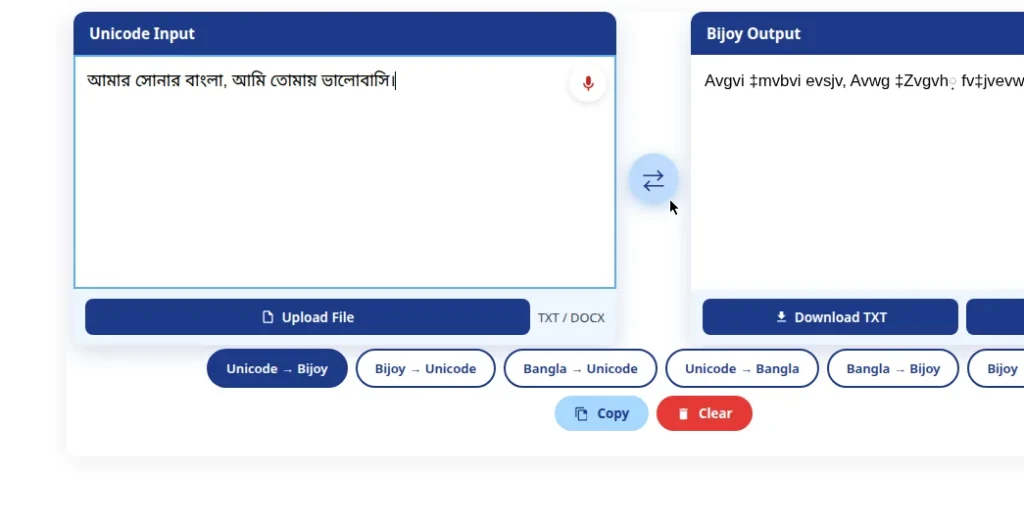
Guidelines for Text Input
Guidelines for Voice Input
What is the Unicode to Bijoy converter?
Unicode to Bijoy Converter is a free online tool that converts Bangla text between Unicode and Bijoy encoding. Built for Bangladeshi professionals, journalists, and students, it handles both encoding systems that are used daily across Bangladesh. Unicode supports all human languages and runs natively on every modern device. Bijoy works on ANSI encoding with a 256-character limit and depends on specific fonts, which keeps it tied to older desktop software.
Government offices, newspapers, and printing houses in Bangladesh still run on Bijoy, while almost everything written online today is in Unicode. This gap causes daily problems for thousands of users. This tool fixes it straight from your browser, on any device, with nothing to install.
Bangla Converter Tool was developed by a dedicated team of Bangla language and encoding specialists focused on solving real problems faced by journalists, students, and office workers across Bangladesh. The tool is regularly tested and updated to ensure accurate Unicode and Bijoy conversion, and is trusted by bloggers, newspaper editors, and government office workers nationwide. All voice processing runs locally in your browser; no data is stored or shared.
Unicode vs Bijoy — Which One Do You Need?
The Unicode to ANSI Bangla Conversion converts Unicode Bangla text into Bijoy format.
The converter translates Bijoy Bangla typing into Unicode-compatible text.
It is used when adapting online content for professional printing.
It is used for publishing online content on a website or social media.
A Unicode converter allows text to be used in offline or older software systems.
Using a Bijoy converter helps format Bangla text for online use and digital publishing.
Older software may not support Unicode text, leading to formatting issues; a Bengali Encoding Converter makes it usable.
Bijoy text often becomes unreadable online; using a Bijoy script converter fixes it for digital use.
Modern Unicode text may not work properly in outdated software without conversion.
Without conversion, Bijoy documents can appear as random characters on online platforms.
Which Font Works With Bijoy Encoding?
Font selection in Bijoy encoding is critical — the wrong choice breaks your converted text completely, not just visually. Using the right Bijoy font ensures your content displays accurately across print and digital platforms. Here are the recommended Bijoy fonts you should use:
SutonnyMJ
It is the official Bijoy encoding standard, developed by Mustafa Jabbar and used in Bangladesh’s national newspapers, government print offices, and school textbooks for decades. Choosing the right font is essential for proper Bangla typography in print and digital media.
SutonnyOMJ
SutonnyOMJ, unlike SutonnyMJ, uses a lighter stroke weight. Publishers prefer it for novels and educational books where readers spend hours on the page.
Bangla MJ
It covers everyday office use, memos, notices, and internal documents. It may lack visual flair, but it renders reliably on virtually every Bijoy-compatible setup, which matters more under a deadline situation.
Nikosh ANSI
It is used for institutional documents, job applications, certificates, and government submissions. A poorly rendered font on an official form creates doubt about the document’s credibility, and Nikosh eliminates that risk.
Kakon
It is purely decorative and was never meant for formal use. Use it for event banners, wedding invitations, or cultural program headers where personality matters more than readability. Use these fonts with your converted Bijoy text for accurate display in print and desktop software
Voice Typing — Speak Bangla, Skip the Keyboard
Bangla keyboard layouts like Bijoy require users to memorize specific key positions, which slows down content production. Your speech is automatically converted into Unicode or Bijoy text — no typing needed. Students, bloggers, journalists, and office workers can speak their content and use this converter to convert the output into Bijoy format without retyping.
Explore the benefits of our tools and voice typing features
The Truth About Bangla Font Conversion
Bangla encoding is not just a technical detail; it directly affects how your content appears on websites, mobile devices, and print systems. Understanding the difference between Unicode and Bijoy conversion can save hours of formatting errors and broken text.
Bijoy-encoded content is completely invisible to search engines. Everything published online must be in Unicode — making this conversion tool essential for SEO and digital visibility.
Android and iOS do not support Bijoy fonts natively. Without conversion to Unicode, Bijoy text appears as broken boxes or question marks on any smartphone.
Courts, government offices, and newspapers have used Bijoy for decades. Converting these documents to Unicode is now a real national-level digital archiving challenge.
Bangla has characters that look nearly identical but carry completely different meanings. A reliable converter must catch these subtle errors — generic tools usually miss them.
Troubleshooting and Fixes
Frequently Asked Questions
Latest from the Blog
Avro vs Bijoy: Which Bangla Typing System Should You Use in 2026?
Avro and Bijoy are the two main ways to type Bangla. Compare both systems and pick the right one for 2026.
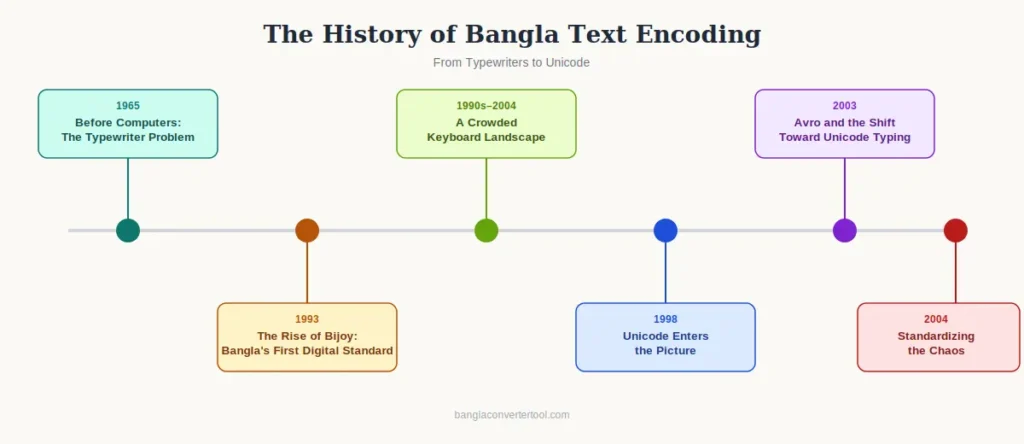
The History of Bangla Text Encoding: From Typewriters to Unicode
From mechanical typewriters to Unicode — how Bangla text encoding evolved over the decades.
Bangla Fonts – Complete Guide to Bijoy & Unicode Fonts
A complete guide to Bijoy and Unicode Bangla fonts — which ones to use, and when.
The Real Benefits of Using a Unicode to Bijoy Converter With Voice Typing
Discover the real benefits of converting Unicode to Bijoy, including the voice typing workflow.